Docs/Insights & Optimization
The Insights Page
How your agents are doing, and exactly what to change: the full funnel, agent health, outreach performance, and an analyst you can ask.
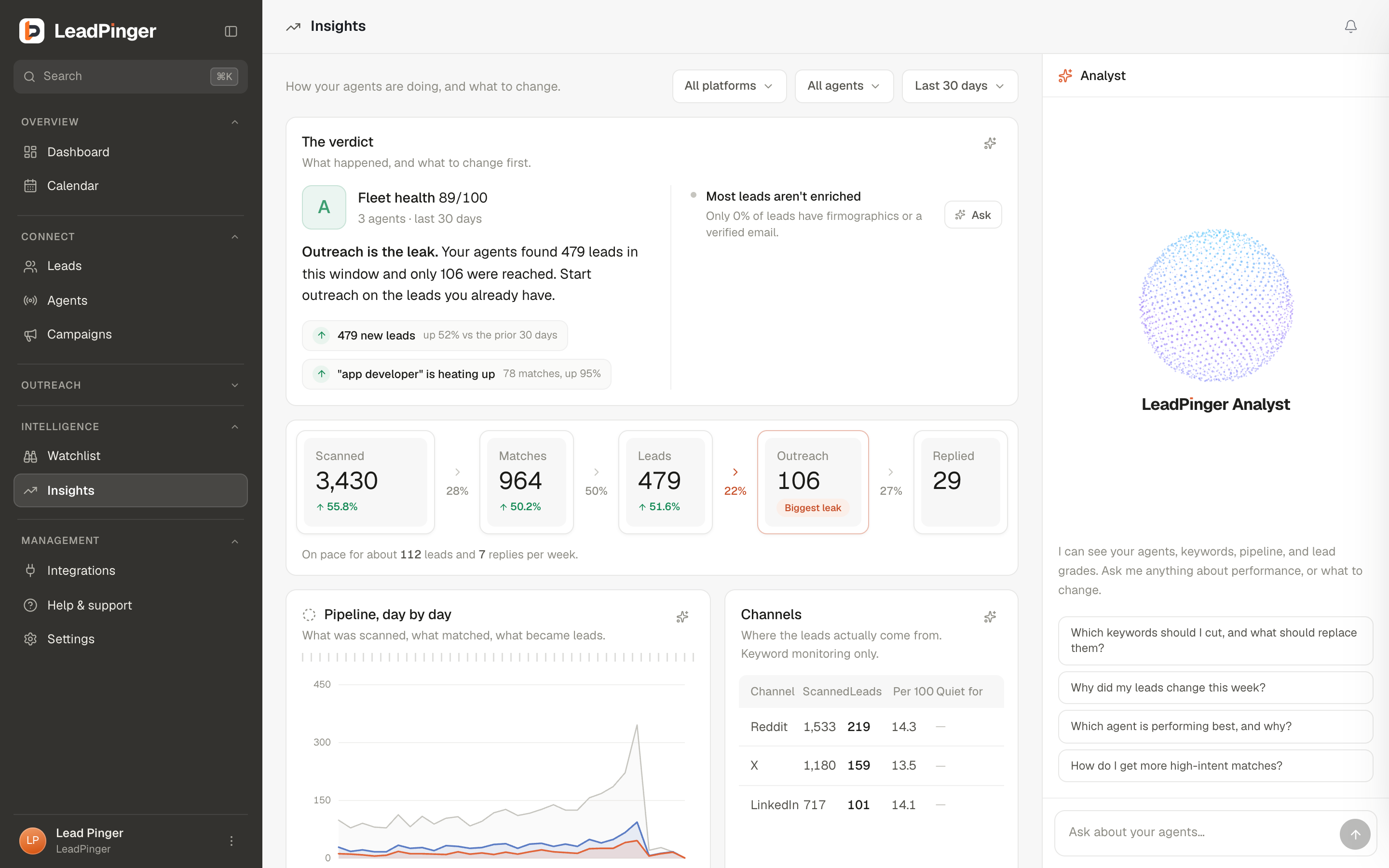
Insightsis the workspace's instrument panel. Every section answers a working question, filterable by agent and platform, over 7, 30 or 90 days, and the page's bias is deliberate: it prefers one concrete recommendation to ten charts.
The funnel
The strip across the top runs Scanned → Matches → Leads → Outreach → Replied, with the conversion between each stage and a highlight on your biggest leak. Reading it is diagnosis: lots scanned but few matches means keywords are off-topic; matches but few leads means the topic is right but intent is thin; leads but little outreach means the bottleneck is you; outreach but no replies means the message, not the targeting.
Recommended actions
The Recommended actions panel turns your data into moves: cut this keyword (with the scans it burned for zero leads), tune that agent, reach out to strong-fit leads still sitting in New, approve the queue that is waiting. Each row carries its evidence and a one-tap follow-through: a link to the surface, or an Ask chip that hands the question to the Analyst. Nothing here changes anything on its own; recommendations are findings, and the decisions stay yours.
The sections, briefly
- Agent console: the roster with health, matches, intent rate, and keyword win/waste per agent. See Agent Health.
- Channel health: scanned, leads per 100, and quiet-streak per platform, so you know which channel earns its place for your market.
- Outreach: reply rate, connection accept rate, first touch and reply latency, by channel. The numbers to check before you move a campaign to Autopilot.
- What changed: movers since the previous period, so a shift never sneaks past.
- Intent intel: what kind of signal your agents surface, from ready-to-buy down to exploring, and which categories convert for you.
- Lead quality: fit acceptance, ICP-fit breakdown by title, industry, location and size, and enrichment coverage.
- What's heating up: where intent is rising and the hours your market is active, useful for timing outreach.
The Analyst
Docked on the right is a chat analyst that can see your agents, keywords, pipeline and lead grades. Ask it working questions: "Which keywords should I cut, and what should replace them?", "Why did my leads change this week?" It answers with your numbers, and when the answer is a keyword change, it proposes the exact edit as a card: toggle the changes you want and click Apply. It never applies anything on its own. See The Targeting Playbook for the questions worth asking weekly.
Questions this page didn't answer? Email support@leadpinger.ai, we usually reply within one business day.