Docs/Agents
Creating an Agent
The four-step wizard, field by field: identity, ideal customer profile, targeting, and campaign.
Click New Agent on the Agents page. The wizard has four steps, and only two fields are truly required: a name, and what you are offering. Everything else has sensible defaults you can refine later. Your draft is saved as you go; if you leave, the wizard restores it for up to 7 days.
- 1
Identity
Name the agent after its angle, not your company: "CRM switchers" beats "My agent". Then describe what you are offering. Be specific about what it does, who it is for, and why it is better; this description is the context every downstream judgment uses. Have a website? Click Analyze and LeadPinger pre-fills the description from it.
- 2
Ideal client profile
Define who your agent should target: job titles, locations, industries, company types and sizes. Optional but powerful, this profile guides scoring on every platform, and with Sales Navigator it also targets LinkedIn people search exactly. Details in Your Ideal Customer Profile.
- 3
Targeting
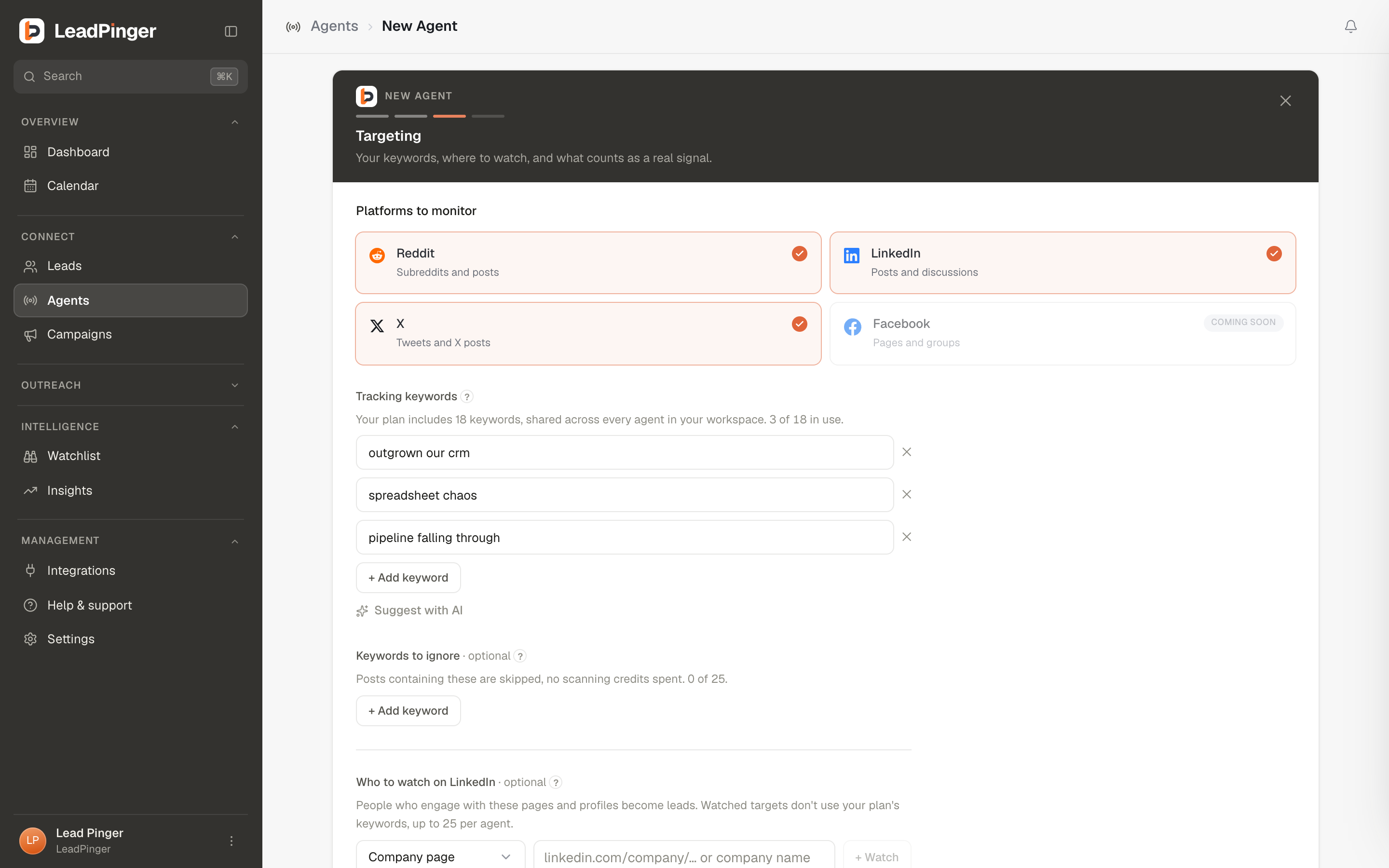
Pick platforms, then write your keywords: the short topic phrases your agent listens for. Add keywords to ignore, choose which intent types count, watch specific LinkedIn pages and profiles, and set post-age and engagement filters. This step does the most work; see Writing Keywords That Work and Negative Keywords & Filters.
- 4
Campaign
Decide where this agent's leads go. Link a campaign and every lead it finds enrolls in that campaign's outreach: its sequence, its voice and its mode. Or choose Find only, no campaign: leads are still found and drafted, and you send every message yourself from Engage. The voice lives on the campaign, not the agent. See Outreach Automation and Voice & Drafted Replies.
Suggestions do the heavy lifting
On the targeting step, Suggest with AI drafts keywords from your offering description, written the way customers actually talk. Suggestions always leave you free slots, and every added keyword is checked against the doctrine: the wizard warns you when a phrase looks like a brand search, a search query, or is too long or short to match well. The warnings are advisory; you always have the final word.
Launch and after
Create agent launches the first hunt immediately and tells you when the first leads land. Two things worth knowing:
- Editing an agent later never re-runs a hunt by itself; changes simply apply from the next launch onward.
- Field limits are generous but real: agent names up to 120 characters, offering descriptions up to 1500, keywords up to 80 characters each.
Questions this page didn't answer? Email support@leadpinger.ai, we usually reply within one business day.