Docs/Automation & Integrations
Integrations Overview
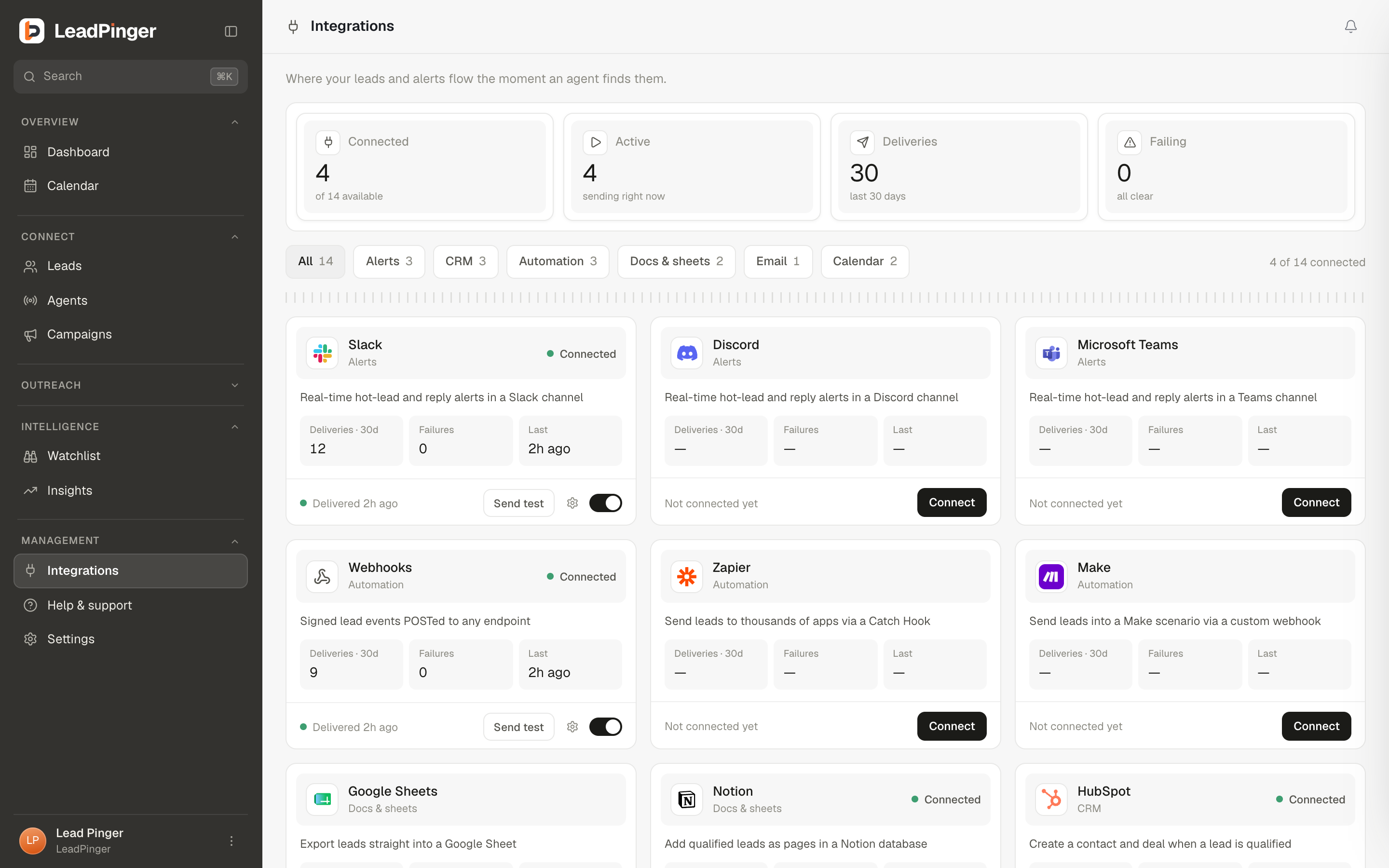
Fourteen ways to plug LeadPinger into the rest of your stack: alerts where your team lives, leads into your CRM, booked calls on your calendar, and events to anywhere via webhooks.
The Integrations page connects LeadPinger outward. Every integration is live on Pro and above, connects in a minute, and shows its delivery health right on the card, so a silent failure is never silent.
What's available
| Integration | What it does |
|---|---|
| Slack | Real-time hot-lead and reply alerts in a channel you pick. |
| Discord | The same alerts, via a Discord webhook. |
| Microsoft Teams | The same alerts, into a Teams channel. |
| Webhooks | Signed lead events POSTed to any endpoint you control. |
| Zapier | Send leads to thousands of apps via a Catch Hook. |
| Make | Send leads into a Make scenario. |
| Google Sheets | Export leads straight into a sheet. |
| HubSpot | Create a contact and deal when a lead is qualified. |
| Pipedrive | Create a person and deal when a lead is qualified. |
| Notion | Add qualified leads as pages in a database you choose. |
| Salesforce | Create a Lead when a lead is qualified. |
| Outlook | Send emails to leads from your Outlook account. |
| Google Calendar | Blocks busy times on your booking page; booked calls land on your calendar. |
| Microsoft Calendar | The same, for an Outlook or Microsoft 365 calendar. |
Connecting
Cards connect one of two ways. OAuth integrations (Slack, Google Sheets, the CRMs, Notion, Outlook, and both calendars) redirect you to sign in and come straight back. Webhook integrations (Discord, Teams, Webhooks, Zapier, Make) ask you to paste a URL, and each card tells you exactly where to find it in that product.
Trusting what you receive
- Raw webhooks are signed: verify the X-LeadPinger-Signature header with the signing secret shown when you connect. The secret is shown once; store it then.
- Every connected card shows Delivered or Last send failed, and most support Send test so you can confirm the wiring end to end. CRMs deliberately have no test button, because a test would create a real record in your CRM.
- Notion needs one extra step after connecting: choose the database leads should land in. The card prompts you.
- Connect both calendars and one is marked Primary: that is the calendar bookings land on. Switch it from the card whenever you like.
Questions this page didn't answer? Email support@leadpinger.ai, we usually reply within one business day.