LinkedIn Leads
The richest lead type: full names, roles, companies, verified contact enrichment, and two ways a person can become a lead.
On this page
LinkedIn leads are people with names, titles and companies, which changes both what you know and what you can do. A LinkedIn lead can reach your queue two ways, and the lead card always tells you which:
- Profile match: with Sales Navigator, they matched your ideal customer profile. Evidence line: "Matches your ideal customer profile", with the role and company facts that did it. These arrive as Prospect.
- Posted about it: their own post matched your keywords, and your agent read them as ready to buy or as an opening. The post arrives quoted in full, your keyword highlighted.
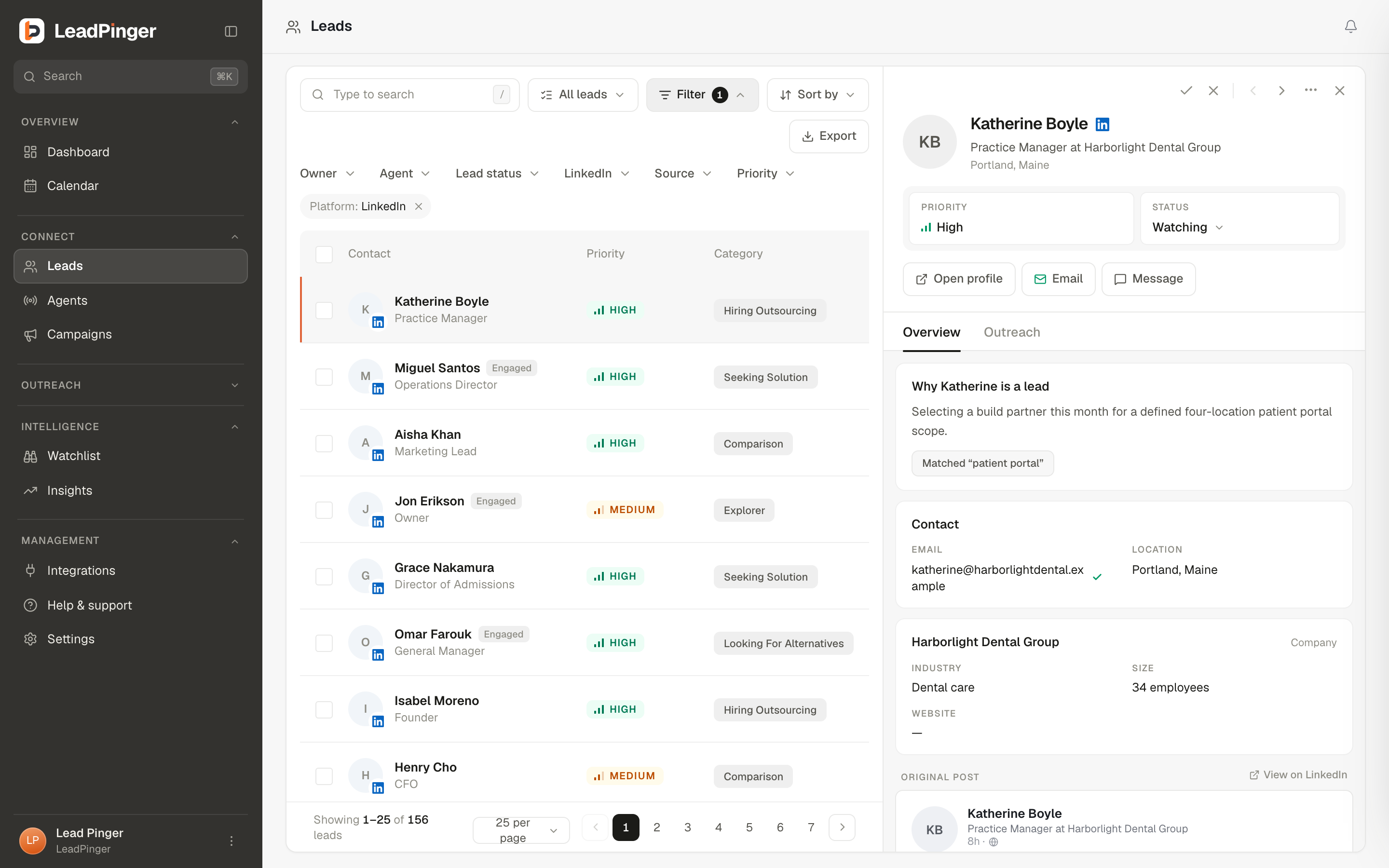
What the card carries
Beyond the person: a company card (industry, size, website, about), a fit verdict (Strong fit to Poor fit) explaining whether this company would plausibly buy what you sell, tenure and role details, and enrichment status. The Why {name} is a lead section is the plain-language case for reaching out; expand More on the fit for the long version.
Reaching out
LinkedIn supports the most channels: a comment on their post, a connection request with a note (300 characters, enforced as you type), a DM once you are connected, and email once enriched. Not connected to the person yet? The lead's Outreach tab offers the connection request, and DMs open up once they accept; a DM never goes out before they do. With a campaign, its workflow does this for you: by default a comment, a connection request about a day later, and the first DM once they accept. Conversations continue in Engage, fully two-way.
Verified contact enrichment
On Pro and Agency, Enrich finds a verified work email for LinkedIn leads. A credit is spent only when something is found. Enrichment is LinkedIn-only, because that is where a person's work identity lives; Reddit and X leads are reached by reply or DM instead. See Email Enrichment.
Questions this page didn't answer? Email support@leadpinger.ai, we usually reply within one business day.