Docs/Finding Leads
Reading Your Dashboard
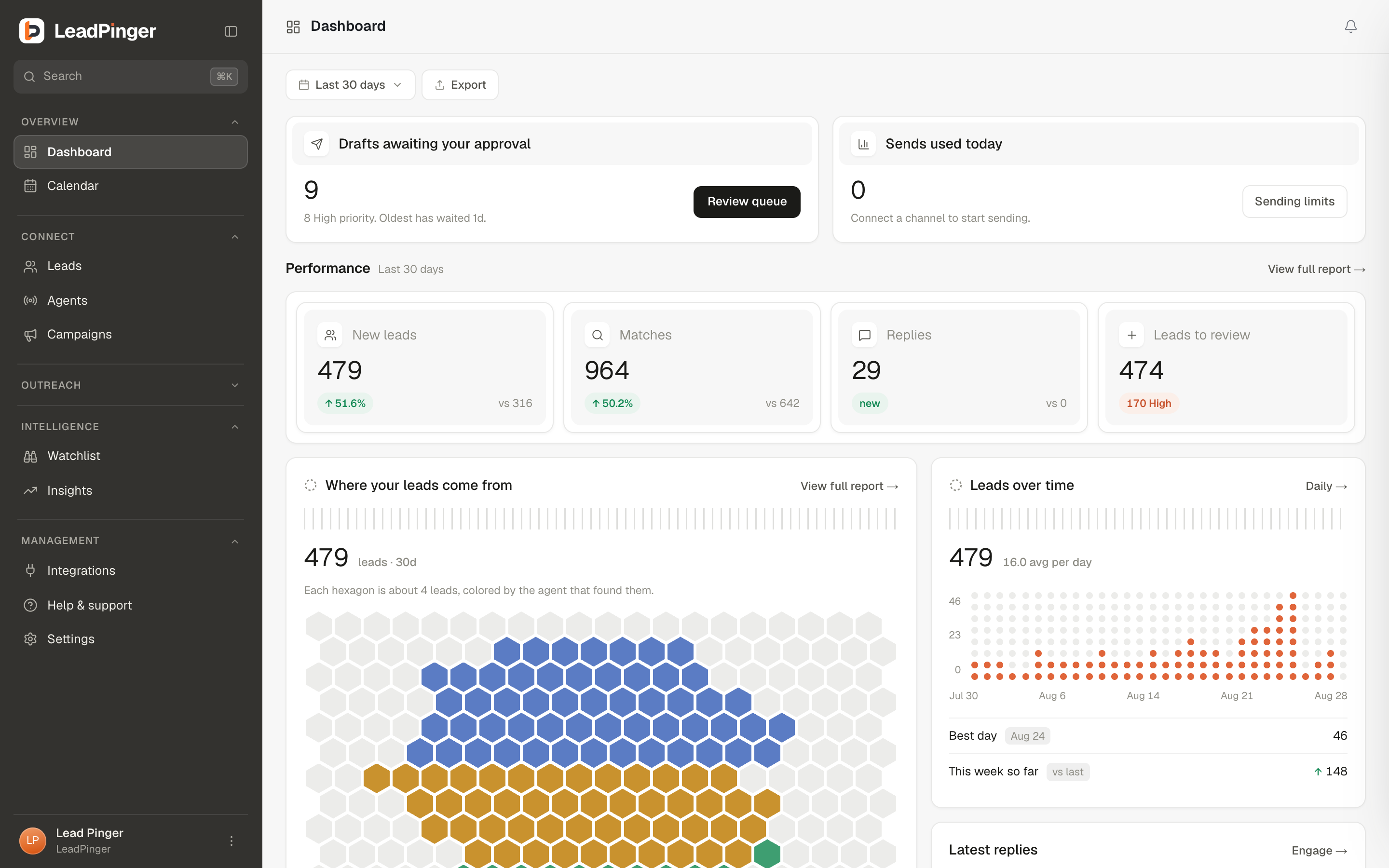
The dashboard answers one question: is anything worth my attention right now? Here is every card and how to read it.
The Dashboard is a morning glance, not a workbench: numbers at the top, your best recent activity in the middle, channel status at the bottom. Everything on it clicks through to the surface where you act.
The four numbers
| Card | What it counts |
|---|---|
| New leads (30d) | Leads captured in the last 30 days. The headline number for whether finding is working. |
| Leads to review | Leads still marked New, all time. This is your to-do pile; clicking it opens the queue pre-filtered. |
| Matches (30d) | Posts worth a look in the last 30 days. Matches without leads means keywords are close but grading finds no real intent. |
| Agents active | How many of your agents are currently hunting. |
Each card carries a 30-day sparkline and a trend versus the previous 30 days. New workspaces show no trend chip until there is a prior period to compare against, which is honest, not broken.
The middle row
- Latest Top Leads: your most promising prospects from the last 7 days. This is the "work these first" list.
- Latest Replies: newest inbound responses across every conversation, each one deep-linking into Engage. If this card has anything in it, it outranks everything else on the page.
- Latest signals: hiring, funding and job changes on watched accounts, from the last 14 days.
Platform cards
One card per channel showing its all-time signals, leads, and how many agents watch it, plus connection status. A card flips to Connect when your own account for that channel is missing, with the one-line reason to bother.
The Getting started card
New workspaces carry a checklist card until setup is done: company profile, a connected channel, your first agent, first leads reviewed, your first campaign. It self-dismisses when complete, or dismiss it early and reopen it from your avatar menu. Show me around replays the product tour.
Questions this page didn't answer? Email support@leadpinger.ai, we usually reply within one business day.