Docs/Working Leads
Engage & Conversations
One inbox for every conversation your agents started: LinkedIn and X messages, Reddit replies, and the drafts waiting for your approval.
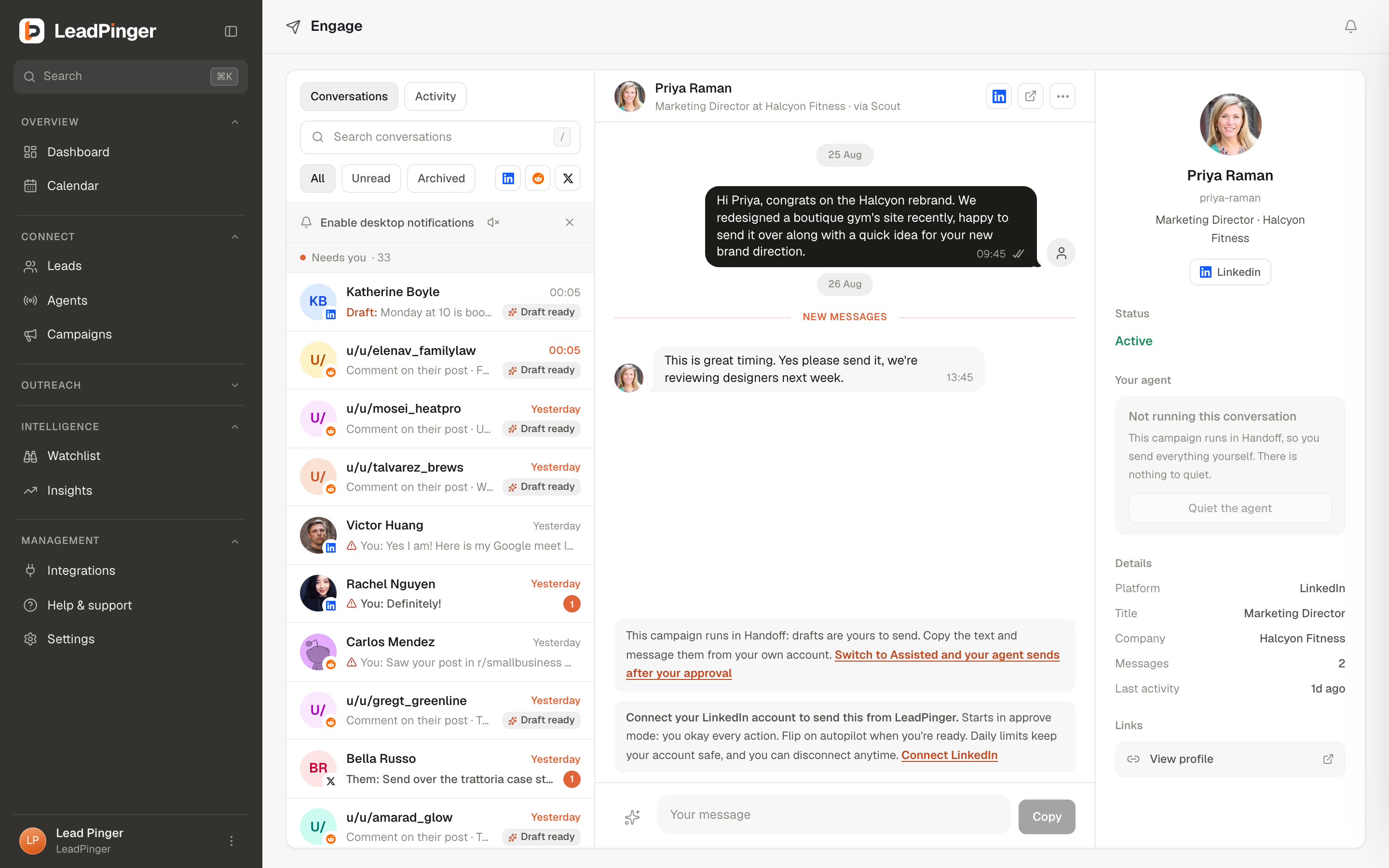
Engageis a messenger-grade inbox laid over all your channels: conversation list on the left, the thread in the middle, and the lead's profile on the right. When someone replies to your outreach, this is where it lands, and the Reply receivednotification (and the dashboard's Latest Replies card) points here.
The conversation list
Filter by All, Unread or Archived, by channel, or search by name. Each row shows the newest message, delivery state, and badges that matter: Draft ready when an AI draft awaits your review, unread counts, pins, and mutes. Desktop notifications and a message sound are one toggle away.
Threads that tell the truth
DMs show real delivery states: one tick means queued on our side, two means delivered into the platform, blue means read, and failures say Not delivered with a retry. LinkedIn threads waiting on a connection say exactly that: "Connection request sent. DMs deliver once they accept." Answers on Reddit and X land here too, in comment threads and DMs alike.
Drafts in the composer
When an agent has drafted outreach for a conversation, the thread opens with the draft loaded into the composer and a strip that says so. Edit it or send it as is; sending approves it, dismissing skips it. Comment drafts show the original post and your drafted comment, with Regenerate, Edit, Skip and Approve and send. When the campaign is on Handoff, or no account is connected, you get Copy and I posted this instead, and you post it on the platform yourself.
Every send from Engage counts toward the account's weekly allowance, because the platform can't tell who clicked. If the week is used, the send is refused with the reason and your text stays put; a draft you copy and post yourself never counts. See Sending Limits & Account Safety.
Keeping the inbox sane
- Pin the conversations you are actively working; archive the finished ones.
- Mute a thread for 8 hours, a week, or always, without archiving it.
- Deleting a conversation removes it from LeadPinger only; the lead's copy on their platform is unaffected.
Questions this page didn't answer? Email support@leadpinger.ai, we usually reply within one business day.